


 Previous
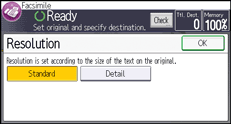
Specify the resolution according to the size of the text on the original.
Standard (8 × 3.85 lines/mm, 200 × 100 dpi)
Select for originals containing normal size characters.
Detail (8 × 7.7 lines/mm, 200 × 200 dpi)
Select for originals containing small characters or when you require greater clarity. This resolution is twice as fine as Standard.
 Press [Send Settings].
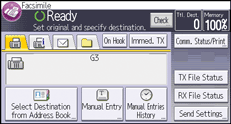
 Press [Resolution].
 Select the resolution, and then press [OK] twice.

If the other party's machine does not support the resolution at which you are sending, this machine automatically switches to a resolution that is supported. You can check the resolution at which you actually sent by printing the Journal. For details about printing the Journal, see Print Journal
 .
.The machine supports Standard and Detail resolutions for reception.


