


 Previous
This section explains how to enter a fax number using the number keys.
 Make sure that [
 ] (Fax) is selected.
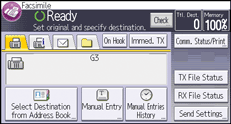
 Enter the fax number using the number keys.
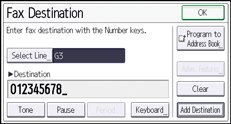
To add a fax or IP-Fax destination by entering it manually, press [Add Destination], and then specify the next destination.
 Press [OK].
You can also add different types of destinations and destinations that are registered in the Address Book.

You can insert pauses and tones in a fax number. For details, see Entering a pause
 or Entering a tone.
For the maximum number of digits that can be included in a destination, see Maximum Values
.


