


 Previous
 Display the [Configuration] menu of Web Image Monitor.
 In "Extended Feature Settings", click [Extended Feature Info].
 Click the [Details] icon of the extended feature whose details you want to display.
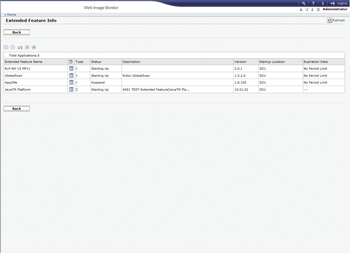
 Check the information, and then click [Back].
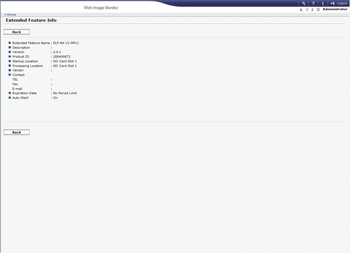
 Click [Back].

For details about how to display the Extended Feature Settings screen, see Displaying and Quitting the Extended Feature Settings on Web Image Monitor
 .
.For details about how to specify "Auto Start" for extended features, see Setting Auto Start from Web Image Monitor
.


