


 Previous
 Display the Extended Feature Settings screen.
 Press [Administrator Tools].
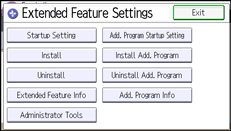
 Press [Heap/Stack Size Settings].
 To change the heap size, press [Heap Size]. To change the stack size, press [Stack Size].
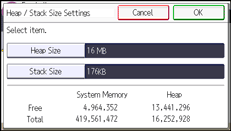
 Press [Change].
 Using the control panel's number keys, enter the values for "Heap Size" and "Stack Size", and then press [#].
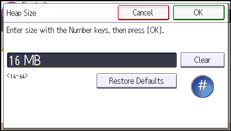
 Press [OK] twice.
 Press [Exit].

For details about how to display the Extended Feature Settings screen, see Displaying and Quitting the Extended Feature Settings on the Control Panel
 .
.Changed settings are activated after the machine has been rebooted.
To restore the default values, press [Restore Defaults].


