


 Previous
When the number of sets is massive, you can print a single set in advance to check the printing order and the printing conditions of the selected documents.

This function can be used only when the Sort function is selected in the printing conditions.
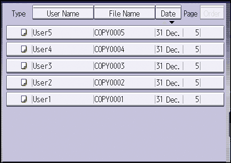
 Select the document to be printed.
 Press [To Printing Screen].
 Enter the number of print copies with the number keys.
 Press [Finishing], and then select [Sort] or [Rotate Sort].
 Press [OK].
 Press the [Sample Copy] key.
Only one set will be printed.
 Press [Continue].
Printing will be resumed.

To cancel the printing, press [Suspend]. The print screen will appear, enabling to select another item.


