


 Previous
 Display the [Configuration] menu of Web Image Monitor.
 In "Extended Feature Settings", click [Administrator Tools].
 Enter the values for "Heap Size" and "Stack Size".
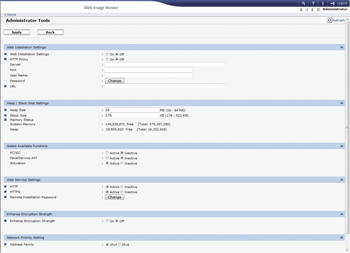
 Click [Apply].
 Click [OK].
 Click [Back].

For details about how to display the Extended Feature Settings screen, see Displaying and Quitting the Extended Feature Settings on Web Image Monitor
 .
.To set [Administrator Tools], you must log in as an administrator. For details about how to log in as an administrator, see Logging in as an Administrator
.Changed settings are activated after the machine has been rebooted.


